
Welcome To Our Blog
What Swing Stats Do Golf Simulators Track?
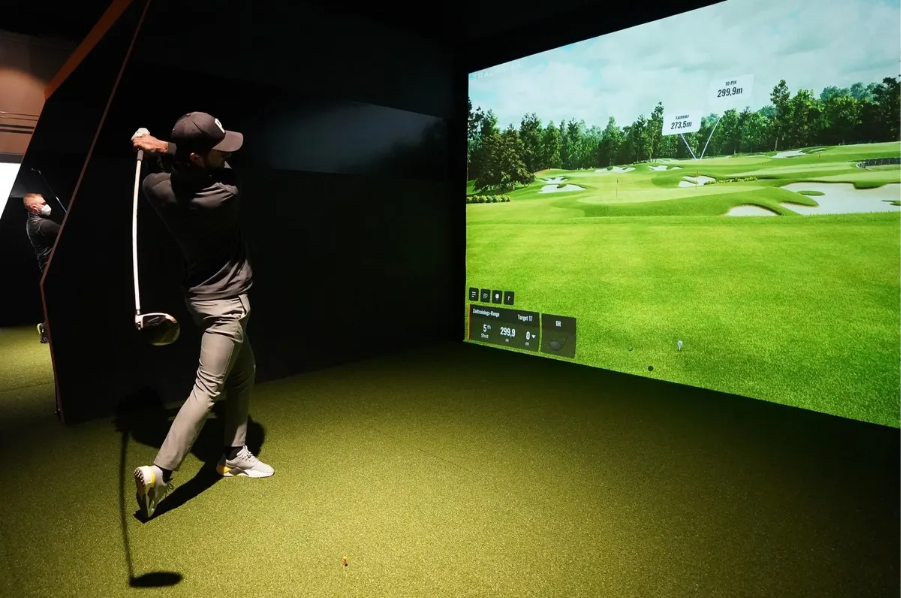
A golf simulator offers a detailed and reliable way to study the golf swing in a controlled environment. Many golfers use this technology to stay sharp when they cannot practice outside. The detailed measurements taken by a simulator provide information that is often difficult to observe on the driving range. These systems show exactly how the club and ball behave at the moment of impact, allowing golfers to correct mistakes, monitor technique and build consistent habits.
A controlled indoor setting makes swing evaluation far more precise. Without weather changes or surface variations, players can focus entirely on their technique. Each swing produces measurable feedback, creating an opportunity to understand the motion rather than guessing based on how a shot feels. Because the simulator captures both club and ball data, it offers a complete picture of performance.
Golfers who rely on data often progress faster because they can evaluate every session objectively. Numbers reveal patterns that may not be obvious. A golfer might believe they are hitting the ball solidly, but the numbers may show inconsistent contact. Another player may think a shot curved because of wind when in reality the curve stems from sidespin. A simulator removes uncertainty by supplying factual details that guide improvement.
For those interested in structured indoor play, you can explore winter league opportunities through this page:
https://www.xgolfwayland.com/x-league/
Club Speed
Club speed measures how fast the clubhead moves at impact. It is one of the most studied swing statistics because a higher speed can produce longer distance when paired with clean contact. However, distance is not determined by speed alone. Efficiency, centered strikes and a stable clubface all play equally important roles. A player may produce impressive speed yet struggle with accuracy if the delivery is inconsistent.
A golf simulator provides exact club speed readings immediately after impact. This helps golfers understand how adjustments such as grip pressure, swing tempo or body rotation affect performance. Coaches often rely on club speed numbers to determine whether a player is improving or applying technique changes correctly.
Club speed also supports equipment choices. The appropriate shaft flex, driver head setting or iron design often depends on this measurement. Golfers who track club speed over time can identify trends such as gradual improvement or loss of speed caused by mechanical issues. Because simulators give this information under consistent conditions, the readings offer a clear baseline for development.
Ball Spin
Ball spin includes both backspin and sidespin. Backspin influences how high the ball flies and how quickly it stops on landing. Too much backspin with a driver can reduce distance, while too little backspin with an iron can prevent the ball from holding a green. Sidespin affects curvature. Shots that curve significantly from left to right or right to left are often the result of excessive sidespin.
A golf simulator measures these rotations with precision. By reviewing spin data, golfers can identify why certain shots behave unpredictably. For example, a player who consistently slices may discover high levels of sidespin caused by an open clubface. This information empowers the golfer to experiment with grip adjustments or path changes.
Spin data also helps with ball and club selection. Different golf balls react differently at impact. Some produce higher spin, others produce lower spin. Without simulator feedback, these differences can be difficult to judge accurately. The readings give golfers evidence based insight to make informed decisions.
To learn more about indoor golf and simulator facilities, you can visit this useful indoor golf resource:
Launch Angle
Launch angle is the angle at which the ball leaves the clubface. It depends on loft, swing path, angle of attack and contact location. Launch angle plays an important role in determining distance and shot height. Many golfers are surprised to learn that they launch the ball much lower or higher than ideal for their swing speed.
Drivers require a specific combination of launch angle and spin to maximize carry distance. Irons must launch high enough to hold greens but not so high that they lose penetrating flight. The simulator displays launch angle immediately after impact, making it simple to judge whether the ball is being delivered correctly.
Golfers who pay attention to launch readings often discover that small adjustments make noticeable improvements. Ball position, posture and angle of attack can all influence launch. With consistent metrics provided by the simulator, players can refine their setups and swing paths to achieve optimal patterns.
Accuracy and Shot Dispersion
Accuracy refers to how close the ball lands to the intended target line. Shot dispersion shows the pattern of multiple shots, revealing where the majority of shots tend to finish. These patterns illustrate the golfer’s true tendencies. Many players believe they miss only occasionally in one direction, but the recorded data often shows a more consistent pattern.
A simulator plots every shot on a digital map. Over time, golfers see whether their common miss direction is right, left, short or long. This information helps shape better decisions during simulated rounds. If a golfer notices that most shots miss slightly right, they can adjust alignment or target selection accordingly.
Dispersion maps are particularly effective in long term improvement. They reflect repeatable habits rather than isolated swings. Instead of guessing where problems originate, golfers can examine actual evidence and correct issues based on data.
Trajectory and Ball Flight Shape
Trajectory describes the complete arc of the shot from start to finish. A simulator shows the height, curve and descent angle of the ball. The entire shape can be analyzed, allowing golfers to study how each swing influences flight behavior.
Trajectory matters because different situations require different shot shapes. Lower shots may be needed for distance control, while higher shots may be required to stop the ball quickly. Players can work on flattening or increasing trajectory based on what the simulator displays.
A simulator also reveals unintended changes in shot shape. If a player normally hits a straight ball but suddenly develops a draw or fade, the visual display helps identify the cause. Such changes may result from altered path, face angle or contact location. Understanding trajectory gives golfers insight they may not gain during outdoor practice.
Data Analysis and Long Term Tracking
Simulators store large amounts of performance data. That data provides an opportunity to review progress over days, weeks or entire seasons. Instead of relying on memory or feel, golfers study actual numbers to determine whether they are improving.
Analysis tools within the simulator may display averages, trends or comparison charts. These summaries highlight consistent strengths and weaknesses. They also show how adjustments influence outcomes. For winter training, where the golfer practices indoors for long periods, these tracking tools are especially useful.
Golfers who take advantage of data analysis can target specific goals. A player may aim to reduce sidespin, increase launch angle or tighten dispersion. Monitoring these goals through stored data makes progress easier to measure.
Video Feedback
Video feedback is another valuable feature offered by many simulators. Seeing the swing in real time helps golfers link visual information with numerical data. When a shot shows unexpected results, video footage helps explain why. Combining video with club speed, launch angle, spin and accuracy provides a complete understanding of the swing.
Video clips also support mechanical adjustments. If a golfer wants to flatten the backswing, improve rotation or maintain posture, video verifies whether the change occurred. Reviewing footage from multiple sessions allows golfers to identify recurring issues and confirm improvements.
Video feedback is helpful for self coaching and for lessons. A player can revisit old clips to study changes and compare them with current swings. This approach creates clear, measurable development over time.
You may reach out or ask further questions through this contact page for more information on simulator use:
https://xgolfwayland.com/contact/
Why These Swing Stats Matter
Each statistic collected by a golf simulator helps explain how and why a shot behaves the way it does. By examining these numbers closely, golfers understand both club delivery and ball flight. This leads to more efficient practice sessions because players can address specific issues rather than guessing. A simulator provides consistency that outdoor practice cannot always offer.
Golfers who use these systems throughout the year often notice meaningful improvement when returning to outdoor play. The controlled environment trains better habits and builds confidence. The data supports progress by offering factual evidence rather than assumptions.
Frequently Asked Questions
1. What are the most useful swing metrics in a golf simulator?
Club speed, ball spin, launch angle, accuracy and trajectory provide the clearest insights into performance.
2. How does spin influence ball flight?
Backspin controls height and stopping power, while sidespin creates curve. Together they shape the overall flight of the ball.
3. Why is launch angle important?
Launch angle determines how high the ball leaves the clubface and influences distance, carry and landing behavior.
4. What does shot dispersion show?
Dispersion maps reveal common miss patterns, helping golfers understand accuracy trends and improve decision making.